Dead Ready Productions

+44 (0)208 339 6139
hello@deadready.co.uk

Event Filming – How Much Does It Cost?

“I want to film an event coming up in a couple weeks time. How much would it cost to produce a video of the event – can you give me an approximate price?”

It’s fairly often that we receive an enquiry similar to the above. Of course, every event video is unique and deserves a specific, tailored approach. Simply put, providing a set price and rigid filming and editing methodology can lead to you failing to get what you need, and paying for something you don’t.

However, as a client you’re often looking for some kind of rough price just to get the ball rolling and to help you factor video production into your marketing plans. Maybe you don’t have all the information you need or maybe you’re just not ready to have a detailed discussion yet – what then?

Event videos can vary widely in cost but as a rough guide tend to start at around £800 and go up from there depending on complexity and time involved. Here’s a few quick questions that can help you to quickly get a ballpark cost for your event video:

1. When/where is the event?

The first variable to determine, and usually the easiest to answer, is when and where the event is taking place. Price is dependent on number of days/nights filming required, whether it’s during the week or at a weekend, and accessibility of the location.

2. What exactly do you need to film?

This will depend on the type of event involved. Conferences have different requirements to awards ceremonies, which in turn are different to trade shows and launch events.

The main purpose of this question is to determine what size of crew and what equipment is needed for the shoot. Sometimes you may require speeches/presentations to be filmed, sometimes you’ll need interviews, other times just general footage of the event as it happens. Are there things that need to be filmed that are happening concurrently?

3. What video deliverables do you require?

Usually our clients are looking for short 2-3 minute footage-based promotional videos, deliverable via the web. But if you require more than one video, or longer videos, or anything involving more complex motion graphics, then price is affected.

4. Do you have specific budget restrictions?

Given the multitude of possibilities, sometimes it’s easier to start with a fixed budget and then discuss the best ways to achieve your goals.

Once you have some idea regarding the above, then it’s possible to put forward some options and give you an idea of the costs that are likely to be involved.

Please accept marketing-cookies to watch this video.

If you would like to discuss how Dead Ready Productions could help you to further enjoy the benefits of video for your business, please get in touch via the button below or by calling +44 (0)208 339 6139.
Event Filming

Infographic Animation Videos – 5 Ways To Make Sure They Rock

We’ve seen a real upsurge in the popularity of infographic videos recently – these are basically the video form of traditional infographic images, which present facts and statistics in a visually compelling and easy to understand way. In video form, these images can be taken to another level by allowing the animation of individual elements, and the addition of sound effects and voiceover to really steer the viewer’s attention.

Please accept marketing-cookies to watch this video.

At DRP we’re big fans of these infographic animations, especially those that truly pull off that magical feat of combining gorgeous, eye-catching design with genuine substantive content that viewers understand, absorb and remember. So what makes a great infographic and how can you help to ensure that your video is among the best?

1. Nail down the script

It’s tempting to dive right in and start building a video as soon as you’ve got a few lines of text in mind – but as with all types of videos, infographic animations benefit massively from carefully considered scripting and storyboarding. In fact it’s particularly important with animated videos given that they’re more time-consuming and costly to revise than traditional live action videos, so it’s really worth spending the time at the initial stages to think about exactly what information you want to include, and in what order. A really pretty video is worthless if the script isn’t up to scratch.

2. Get the look right

A great infographic relies hugely on having a strong sense of visual style. Things like fonts, textures, colours and shapes will all have a massive impact on the ‘feel’ of your animation – it’s worth working up a few example still frames up in a draft storyboard and signing these off before the animation work begins.

3. It’s not a party without music

The music you choose will drive forward your animation and will determine the general tone of the video. We see it all the time, music is too often an afterthought and something that is just thrown on towards the end of the editing process – but with an infographic it should be carefully considered and chosen prior to editing so that the video can be cut to suit the selected track.

4. Choose the right voice

Not all infographics use voiceover – some may be designed to play on mute screens, or just rely on text and images to get the message across. But where voiceover is used, casting the right artist with the right tone and voice character is crucial. A video that uses voiceover can be pacier than one without, as it’s easier for the viewer to pick up the message when it’s vocalised as well.

5. Do your research

Look at other infographics, both still images and animated videos, covering many different topics – decide which ones you like and work out why, and conversely what leaves you cold. There are so many different possible approaches that reviewing previously developed work is a great way to inform your own ideas and to determine the kind of tone you want to achieve.

Infographic Animation

Reduce The Cost Of Your Video Production By Doing Some Of The Work Yourself

Isn’t it amazing how many blogs start with “so I haven’t written a blog in ages…”? I won’t do that.

This blog is all about saving you money on your video productions!

Full service video productionIf you’ve realised that your business could use the marketing punch of an online video, but are working to a fairly tight budget (as is certainly the case with many startups), you might baulk at the idea of getting a high-end production company involved to produce it for you.

Given the easy access most of us have to cheap HD cameras (most smart phones will shoot in HD these days) and simple editing software, it may seem like a smart move to keep the production in-house but we’d advise caution in this, as a bad video will do far more harm than good.

Passing elements of your video to a production co like DRP is a great compromise. It’ll ensure that your project has the highest possible production values but in taking on some of the work yourself, you’ll be bringing down the costs.

Full service video productionMany of our clients have made this decision and ask us to edit their own pre-shot footage, saving the cost of the filming. The point of this blog is to encourage you to think about flipping that idea on its head.

When dealing with relatively simple productions such as talking heads interviews for testimonials etc (as many new companies’ early productions tend to be), you’re probably going to be best placed to choose the content that is of the greatest relevance to your audience. We therefore recommend using us to film your production, where our expertise can really be applied in making sure your footage looks great, featuring broadcast quality sound recording, professional lighting and industry standard cameras and camerawork.

Full service video productionWe will of course edit your footage if you’ve shot it already but it’s harder or us to be sure that we can deliver the video’s objectives without first seeing the footage and this can make it a bit trickier to quote for.

We generally advise that the more complex your video becomes, the more important it would be to hand it to an expert to produce (after a thorough briefing from yourself) but if the video is relatively simple, think about farming out the filming; we’ll then be happy to offer editing advise and can steer you in the right direction as you take on the rest of the video yourself.

Full service video production

Conference Filming: Edited Video vs Live Webcasting

Many of the conferences we film pride themselves on providing trendsetting, up to the minute information, through groundbreaking keynote speeches and presentations.

This content is most valuable at the very moment it’s being delivered, and so often a key requirement for our clients is that video from their events can be posted online and made available for viewing by an outside audience as quickly as possible.

Of course, if immediacy of video delivery is your top priority, nothing can beat live webcasting. In recent months we’ve had a growing number of requests for this approach, whereby presentations are broadcast online as they take place, and can be viewed either by users who have signed up to watch, or a completely unrestricted audience.

While many of our clients are interested in live webcasting, many are unsure how to decide whether to use it instead of traditional edited content.

As is often the case with video production, there’s no right or wrong answer, but here’s a few things to consider that will help you decide which route to go down:

1. Cost

In either case prices can vary siginificantly, but generally speaking live webcasting costs tend to rise more steeply as production values increase.

A single-camera, low-resolution webcast works out relatively cheaply, but as soon as you bring in multiple cameras and HD broadcasting, the additional equipment and personnel required mean the price can rise considerably.

For more complex projects, edited video is usually more cost-effective.

2. Venue Connectivity

If you’re planning a live webcast, you’ll need to make sure the venue where your event is taking place has a strong internet connection, with a very high upload speed. If you plan to broadcast in high definition, this requirement becomes even greater.

A wired connection is preferable to wifi, and it needs to be reliable – a single dropout will effectively ruin your webcast.

3. Your Audience

If your conference caters to a niche audience – is it worth providing a live webcast when the people who would be most interested are already there? An edited video on the other hand enables that audience to re-visit the presentations after the conference has happened.

In addition, it’s worth considering whether providing a live webcast may even discourage people from spending money on attending the event at all.

4. Your Speakers

It’s important to ensure that speakers at the event are comfortable being filmed in any case, but some may feel differently about live webcasting given that there’s no opportunity for them to vet what is broadcast to the world – it’s worth checking with your speakers beforehand to ensure they’re happy with you going down this route.

5. Quality/Style of Video

Although it’s possible to stream a live webcast using multiple high definition cameras, and with added graphics and effects, it cannot match the flexibility afforded by editing after the event. Furthermore, it’s more difficult and costly to achieve the same level of quality.

6. Duration

With a live webcast, you’re broadcasting the entirety of someone’s presentation – and so you’re largely in their hands when it comes to retaining audience engagement and interest.

If they’re a polished speaker then that’s great, but if they make mistakes or go off-track, there’s no opportunity to remove that from the video.

With edited video, you can also condense the presentation down to only the most interesting content and ensure the video is only as long as it needs to be.

7. Urgency

While live webcasting cannot be beaten for speed, how important is it to you to provide footage as it happens? A lot of people don’t realise just how quickly video can be edited after the event as well – there’s no reason why footage filmed in the morning can’t be online and viewable by the afternoon.

As with any type of video production it’s crucially important to consider your budget, your audience, technical requirements and what you’re actually trying to achieve – it sounds simple but it’s worth taking the time to really make sure you’ve thought these through before deciding what route to go down.

If you would like to discuss how Dead Ready Productions could help you to further enjoy the benefits of video for your business, please get in touch via the button below or by calling +44 (0)208 339 6139.

Conference Filming and Editing

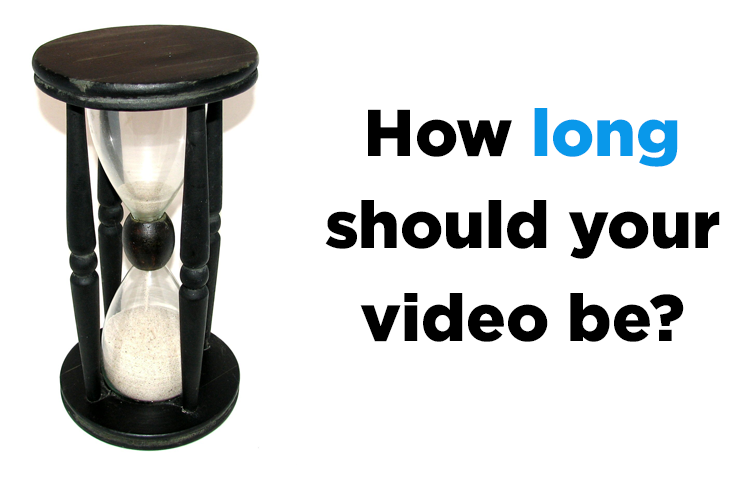
How Long Should Your Video Be?

A majorly important aspect of any video production is it’s duration. How do you decide how long your video should be? How can you ensure that whatever you’re trying to communicate is done with sufficient clarity and depth without losing impact, energy or, ultimately, your audience?

In our experience, the single most common issue in this area is videos that are too long, particularly web videos. If you’re anything like me, you’ve had many experiences where a minute or two after you start watching a video on a website, you feel a compulsion to check how long is left to play, only to find you’re merely a fraction of the way through. Inevitably, you decide not to persevere with it. So maybe the question isn’t really how long your video should be, but how short it can be.

At the same time, you need to ensure that your video says enough to justify being there in the first place. We’ve also seen videos where you click to play, someone appears on screen and says ‘I heartily recommend this product’ and then it ends. You, the viewer, are unlikely to be swayed by this overly concise endorsement.

Clearly the decision about video duration needs to be made on a case-by-case basis. There are a number of factors you need to consider:

Your audience – If your video is targeting a general audience who have no direct interest in the subject matter, you need to keep things very short and to the point. People will decide within the first 30 seconds whether to continue watching or not, and anything more than a couple minutes in length risks premature termination. If the video has a more specific audience in mind that already has a keen interest in the content, there’s more scope to make things longer.

Message – Think about what you’re trying to say in your video – if it’s just trying to make one simple point, that’s all it should do – there’s no need to repeat things so much that the key message is diluted and viewers start to lose interest. If you have a larger and more complex story to tell, then of course you need to ensure all the information needed to communicate that is present and you’re not too light on detail.

Content – Video is a medium that combines visual and sonic elements to provide an immersive, multisensory experience. You may have interview footage, event footage, or no footage at all. It’s important to evaluate how far you can stretch the content you have. Have you ever watched a video with an hour of someone talking in a dark room, filmed from one camera angle with no supporting footage? Boring.

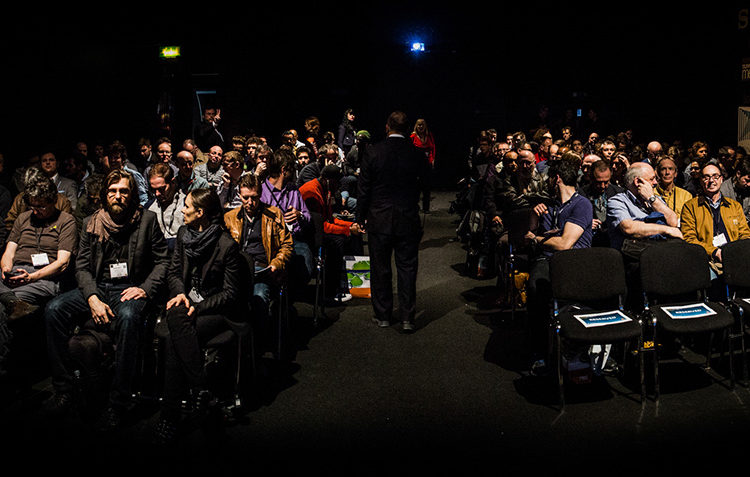
Where the video will be shown – for a web video, your video usually needs to be short – around 2-3 minutes is probably best – and it needs to have immediate impact. If you’re showing it in a presentation or a conference, you may have a captive audience and therefore can make a longer video, but then there’s the added potential danger of audience members visibly falling asleep while your video plays. We’ve seen this happen (but not with our own videos of course).

The majority of videos we have produced of late have been for web broadcast and have been mainly for promotional purposes. Resist the temptation to make these videos too long – aim for no more than 3 minutes at most – and not only will more people watch it to the end, but they’re more likely to click on the video in the first place and to watch again later. You’ll also end up with a video that has greater impact and makes the most of the material you have without stretching it too thin.

Always remember that the key purpose of any video is to communicate something to the viewer, whether that’s a story, a product, a mood, information, or something else. When deciding how long to make your video, it’s imperative to consider things from the viewpoint of your audience and how long they’ll realistically watch for. Get this right and you’ll reap the benefits!

How long should your video by?